Troubleshooting the Nissan Key Not Recognized Dashboard Warning
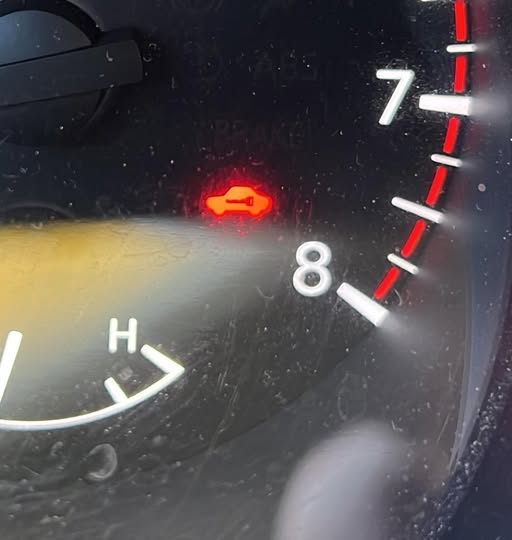
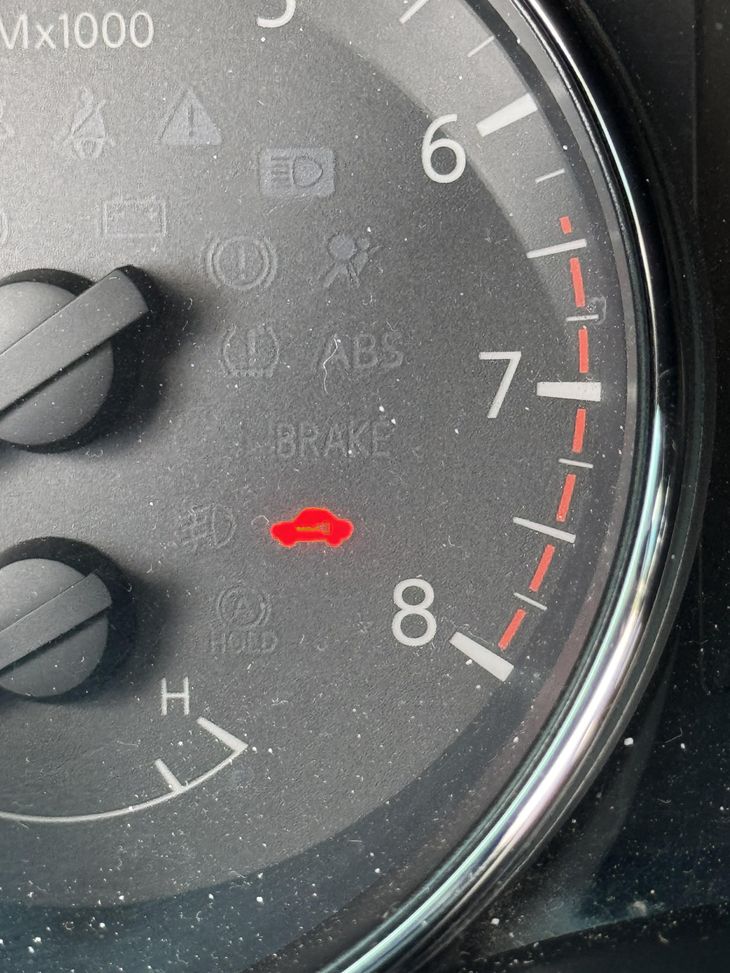
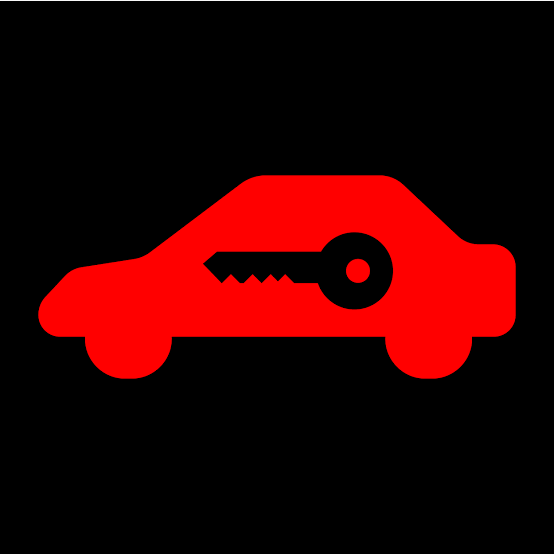
Few things are more frustrating than sliding into your Nissan, pressing the push-button start, and seeing that dashboard warning light flash with the outline of a key. It is the vehicle security system telling you the onboard computer does not detect a valid key fob. For Nissan owners, this "Nissan key not recognized" message can bring a trip to a halt before it even begins. The good news is that this issue is almost never a permanent failure. It is usually a communication hiccup between the key fob and the car, and most causes are straightforward to diagnose and fix.
Before you assume the worst or call for a tow, it helps to understand what is actually happening. The key fob contains a small transponder chip that broadcasts a unique code when you press a button or, in many modern Nissan models, when you simply sit down with the fob in your pocket. The car's antenna, often tied to a proximity sensor near the steering column or center console, picks up that signal and tells the onboard computer to release the ignition lockout. When that handshake fails, the dashboard warning light stays lit and the engine will not start. That is exactly the scenario behind a "Nissan key not recognized" alert.
Start With the Obvious: The Key Fob Battery
The most common culprit by far is a weak or dead key fob battery. A fob that worked yesterday may not work today if the battery finally dipped below the voltage needed for the transponder chip to transmit clearly. Nissan key fobs typically use a small coin-cell battery, and they lose power gradually. You may not notice a difference in range or button response until the battery drain crosses a threshold and the car stops seeing the fob entirely.
Replacing the battery is the first step in any troubleshooting guide for this problem. Most Nissan fobs pop open with a small flathead screwdriver or a coin twist on the back. The owner's manual shows the exact battery type, usually a CR2032 or CR2025. After swapping in a fresh battery, try starting the car again. In many cases, that is all it takes. If the dashboard warning light still glows, the issue lies elsewhere.
Signal Interference and Physical Obstruction
The proximity sensor in a Nissan is sensitive but not immune to interference. If you keep your key fob in a pocket with other metal objects, a thick wallet, or even a phone with NFC, the signal can get scrambled. The same goes for aftermarket key cases or sleeves that contain metal. The transponder chip needs a clear path to the antenna. Anything that blocks or distorts that signal can produce a brief ignition lockout and leave you staring at the car with key symbol on the dashboard.
Try holding the fob directly against the start button or the area near the steering column where the antenna is located. Some Nissan models have a specific spot on the dashboard or console where the fob must be placed for emergency override. If the car starts with the fob in that position, you are dealing with range or interference, not a dead fob or a bad circuit board. The fix is usually as simple as changing where you keep the fob or removing it from a cluttered key ring.
Multiple Fobs and Spare Key Confusion
Nissan vehicles can store up to four or five key fobs in memory. If you own a used Nissan, the previous owner may have left a spare key programmed to the car. That is not a problem by itself, but if you are using a fob that was never properly paired, or if you are accidentally grabbing the wrong fob, the onboard computer will reject it. The dashboard warning light will flash, and you will see a "Nissan key not recognized" message even though the battery is fresh.
If you have a spare key or a second fob, try that one. If the spare works, you know the original fob has an internal issue or needs reprogramming. If neither fob works, the problem is likely on the vehicle side. A diagnostic tool at a Nissan dealership can check whether the car's receiver module is still communicating with the keyless entry system. Some locksmiths who specialize in automotive electronics can also reprogram fobs or replace failed receiver modules without the full dealership price.
The Vehicle Side: Antenna and Circuit Board Problems
Less common but still possible is a failure in the car's own hardware. The antenna that listens for the key fob sits behind plastic trim near the steering column or inside the center console. Over time, vibrations, spills, or even a dropped object can break a wire or crack a circuit board connection. If the antenna fails, the car will never see the fob, and the ignition lockout stays active. The same can happen if the onboard computer's receiver module loses its programming or suffers a glitch.
A Nissan dealership can run a diagnostic tool to check for fault codes related to the keyless entry system. They can also test whether the antenna is receiving any signal at all. If the antenna is faulty, replacing it is a moderate repair, but it is usually far cheaper than replacing the entire onboard computer. Some owners have success with resetting the system by disconnecting the car battery for a few minutes. This forces the onboard computer to reboot and may clear a temporary software lockout that keeps the dashboard warning light on.
Key Fob Programming and Reprogramming
If you have replaced the battery, tried the spare key, and checked for interference, but the vehicle security system still refuses to recognize the fob, programming may have been lost. This can happen if the fob was dropped hard, exposed to water, or if the battery was dead for an extended period. Some Nissan models allow you to reprogram a fob yourself using a sequence of door locks and button presses, but the procedure varies by year and model. The owner's manual or a Nissan-specific troubleshooting guide will have the exact steps.
For newer Nissans with keyless entry and remote start features, the process often requires a dealership visit. The technician uses a diagnostic tool to sync the fob's transponder chip with the onboard computer. This is also the time to have any spare key programmed so you have a backup. A few independent locksmiths and automotive electronics shops can do this work, but not all have the Nissan-specific software. Call ahead and ask if they can handle Nissan fob programming before you make the trip.
When to Visit a Nissan Dealership
There are scenarios where DIY troubleshooting will not cut it. If the dashboard warning light stays on solid and the car will not start even after you have tried everything above, the issue may be a failed circuit board in the vehicle security system or a corrupted memory in the onboard computer. A Nissan dealership has the diagnostic tools and direct access to manufacturer support. They can identify whether the problem is in the key fob, the antenna, or the control module. They can also ensure that any replacement parts match the original system specifications.
That said, a dealership visit should be a last step, not a first reaction. Most "Nissan key not recognized" events are resolved with a fresh battery, a clear signal path, or a quick reprogramming. The cost and time of a dealership trip are unnecessary for a simple battery drain or a minor interference issue. Start with the cheap and easy fixes, and only escalate if those fail.
Preventing Future Lockouts
Once you have the issue sorted, a little maintenance goes a long way. Replace the key fob battery every year or two, even if it still seems to work. Battery drain is gradual, and the fob can go from working to failing in a single day. Keep your spare key somewhere accessible but secure, and test it every few months to make sure it still communicates with the car. If you have multiple drivers, make sure each fob is programmed to the vehicle. A missing fob in the system will not cause a problem, but a partially programmed fob can confuse the proximity sensor and trigger the ignition lockout.
Also, be aware that aftermarket keyless entry or remote start systems can interfere with the factory vehicle security system. If you have added any third-party electronics, try removing them temporarily to see if the dashboard warning light goes away. Aftermarket modules can broadcast on overlapping frequencies or create electrical noise that confuses the onboard computer. Keeping the system as close to factory spec reduces the chance of future problems.
The car with key symbol on the dashboard is not a sign of a broken car. It is a signal that the security system is doing its job. It detected something it did not trust, so it locked the ignition. Understanding that message and knowing how to respond turns an alarming moment into a manageable task. Whether you need a new battery, a clearer pocket, or a trip to a Nissan dealership, you now have a clear path to follow. The next time you see that warning, you will know exactly where to start.